Troubleshooting EventBridge Pipes IAM Errors and SQS Latency
Diagnose EventBridge Pipes by reading its documented state and StateReason, then verify the deployer’s iam:PassRole permission and the execution role’s source and target access. Enable pipe logs before querying them; for SQS, tune batching for latency and size visibility timeout for processing and retries rather than assuming a 0–1 second window flushes immediately.

EventBridge Pipes IAM Failure and State Diagnostics
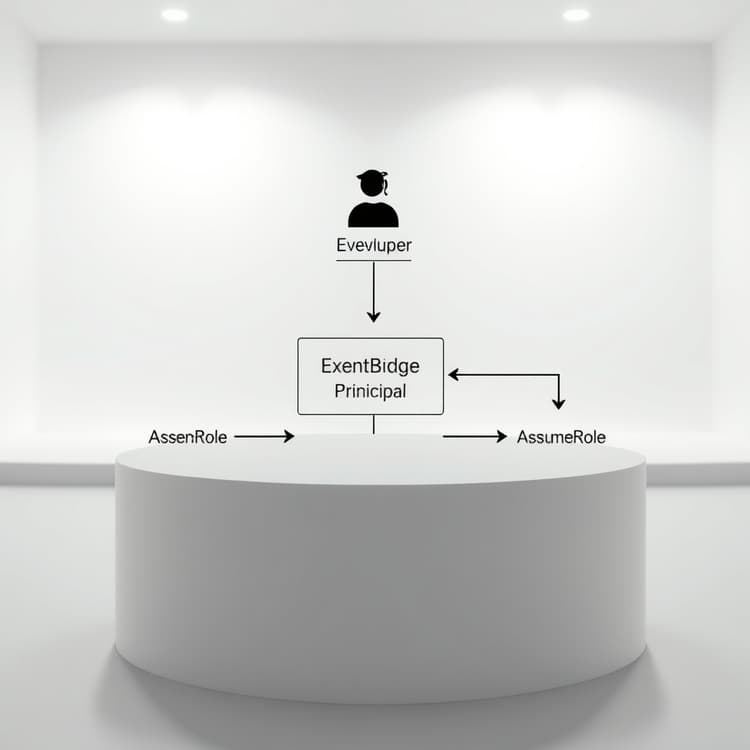
Start with the pipe state and its service-supplied reason instead of assuming a Pipes-specific error name. EventBridge Pipes exposes states such as RUNNING, STOPPED, CREATE_FAILED, and UPDATE_FAILED; the StateReason returned by the API is the useful diagnostic detail. Names such as SourceAccessDenied, PipeExecutionTimeout, PipeExecutionDuration, PipeExecutionErrors, and STALLED are not documented Pipes states or metric names and should not be used as diagnostic evidence.
Run this first, then branch on the result:
aws pipes describe-pipe \
  --name sqs-to-lambda-pipe \
  --query '{State:State,StateReason:StateReason,RoleArn:RoleArn,LogConfiguration:LogConfiguration}' \
--output json| Log / Error Message | What It Means | Next Check |
|---|---|---|
AccessDeniedException while creating or updating a pipe | The deploying identity may be unable to pass the execution role, or it may lack another required Pipes action. | Simulate iam:PassRole for the deploying identity and role ARN. |
CREATE_FAILED or UPDATE_FAILED with a StateReason mentioning role assumption or access | The execution-role trust policy or its permissions need correction. | Inspect the role trust policy, then simulate source and target actions as that role. |
RUNNING with growing SQS message age | The pipe is operating, but batching, target throughput, failures, or retries may be delaying deletion. | Check SQS age, target behavior, and configured pipe logs. |
CloudWatch metric ExecutionFailed or ExecutionTimeout | A documented Pipes execution metric indicates failed or timed-out executions. | Use enabled pipe logs and the target’s logs to identify the failed stage. |
EventBridge Pipes iam:PassRole and Execution-Role Verification
There are two separate IAM decisions. The identity that creates or updates the pipe needs permission to call iam:PassRole for the pipe execution role, usually with an iam:PassedToService condition for pipes.amazonaws.com. The execution role itself must trust pipes.amazonaws.com and allow the source and target actions required at runtime.
Symptom: Pipe creation returns AccessDenied
Verification command: Simulate the deploying user or role, not the Pipes service principal.
aws iam simulate-principal-policy \
  --policy-source-arn arn:aws:iam::111122223333:role/PipeDeployerRole \
  --action-names iam:PassRole \
  --resource-arns arn:aws:iam::111122223333:role/PipeExecutionRole \
  --context-entries ContextKeyName=iam:PassedToService,ContextKeyValues=pipes.amazonaws.com,ContextKeyType=string
Output meaning: allowed supports the PassRole portion of the deployment. implicitDeny or explicitDeny means the deployer policy, permissions boundary, session policy, SCP, or a condition must be corrected before retrying the deployment.
Next fix: Grant the deployer narrowly scoped iam:PassRole access to the intended execution role. Do not grant broad PassRole access as a workaround.
Symptom: StateReason identifies role assumption or source/target access failure
Verification command: Inspect the execution role’s trust policy.
aws iam get-role \
  --role-name PipeExecutionRole \
  --query 'Role.AssumeRolePolicyDocument' \
  --output json
Output meaning: The policy must allow sts:AssumeRole for pipes.amazonaws.com. For an SQS source and Lambda target, the execution role also needs sqs:ReceiveMessage, sqs:DeleteMessage, and sqs:GetQueueAttributes on the source queue, plus lambda:InvokeFunction on the target function.
Next fix: After correcting trust or identity permissions, simulate the execution role’s actual actions:
aws iam simulate-principal-policy \
  --policy-source-arn arn:aws:iam::111122223333:role/PipeExecutionRole \
  --action-names sqs:ReceiveMessage sqs:DeleteMessage lambda:InvokeFunction \
  --resource-arns arn:aws:sqs:us-east-1:111122223333:source-queue arn:aws:lambda:us-east-1:111122223333:function:target-function
An implicitDeny here identifies an identity-policy evaluation problem. It does not, by itself, prove that a Lambda resource-based policy blocks the invocation. For cross-account Lambda targets or functions with restrictive resource policies, inspect the function policy separately with aws lambda get-policy and confirm that it permits the execution-role principal or applicable service path.
EventBridge Pipes CloudWatch Log Configuration
Pipe execution logs are not available automatically. Configure a pipe log destination before sending operators to CloudWatch Logs or Logs Insights. Use INFO for operational diagnostics; use TRACE and execution data only temporarily because they can expose payload data and increase log volume.
The following complete CloudFormation example creates an SQS-to-Lambda pipe, its execution role, and an explicit CloudWatch Logs destination. Replace values marked CHANGE_ME before deployment.
AWSTemplateFormatVersion: "2010-09-09"
Resources:
  PipeLogGroup:
    Type: AWS::Logs::LogGroup
    Properties:
      LogGroupName: /aws/vendedlogs/pipes/sqs-to-lambda-pipe
      RetentionInDays: 14

  SourceQueue:
    Type: AWS::SQS::Queue
    Properties:
      QueueName: CHANGE_ME-source-queue
      VisibilityTimeout: 180

  TargetFunctionRole:
    Type: AWS::IAM::Role
    Properties:
      AssumeRolePolicyDocument:
        Version: "2012-10-17"
        Statement:
          - Effect: Allow
            Principal:
              Service: lambda.amazonaws.com
            Action: sts:AssumeRole
      ManagedPolicyArns:
        - arn:aws:iam::aws:policy/service-role/AWSLambdaBasicExecutionRole

  TargetFunction:
    Type: AWS::Lambda::Function
    Properties:
      FunctionName: CHANGE_ME-target-function
      Runtime: python3.12
      Handler: index.handler
      Timeout: 20
      Role: !GetAtt TargetFunctionRole.Arn
      Code:
        ZipFile: |
          def handler(event, context):
              return {"statusCode": 200}

  PipeExecutionRole:
    Type: AWS::IAM::Role
    Properties:
      AssumeRolePolicyDocument:
        Version: "2012-10-17"
        Statement:
          - Effect: Allow
            Principal:
              Service: pipes.amazonaws.com
            Action: sts:AssumeRole
      Policies:
        - PolicyName: SqsToLambdaPipeAccess
          PolicyDocument:
            Version: "2012-10-17"
            Statement:
              - Effect: Allow
                Action:
                  - sqs:ReceiveMessage
                  - sqs:DeleteMessage
                  - sqs:GetQueueAttributes
                Resource: !GetAtt SourceQueue.Arn
              - Effect: Allow
                Action: lambda:InvokeFunction
                Resource: !GetAtt TargetFunction.Arn

  SqsToLambdaPipe:
    Type: AWS::Pipes::Pipe
    Properties:
      Name: CHANGE_ME-sqs-to-lambda-pipe
      RoleArn: !GetAtt PipeExecutionRole.Arn
      Source: !GetAtt SourceQueue.Arn
      SourceParameters:
        SqsQueueParameters:
          BatchSize: 5
          MaximumBatchingWindowInSeconds: 1
      Target: !GetAtt TargetFunction.Arn
      TargetParameters:
        LambdaFunctionParameters:
          InvocationType: REQUEST_RESPONSE
      LogConfiguration:
        Level: INFO
        IncludeExecutionData:
          - ALL
        CloudwatchLogsLogDestination:
          LogGroupArn: !GetAtt PipeLogGroup.Arn
After deployment, inspect the configured log group and correlate events with the target Lambda log group. CloudWatch Pipes metrics such as ExecutionFailed, ExecutionTimeout, and TargetStageDuration can identify failure or delay trends, but target logs and the pipe’s configured execution logs provide the actionable reason.
EventBridge Pipes SQS Batching, Visibility Timeout, and Retries
Symptom: SQS `ApproximateAgeOfOldestMessage` rises while the pipe is RUNNING
Verification command: Compare queue age and pipe configuration.
aws sqs get-queue-attributes \
  --queue-url https://sqs.us-east-1.amazonaws.com/111122223333/CHANGE_ME-source-queue \
  --attribute-names ApproximateAgeOfOldestMessage VisibilityTimeout

aws pipes describe-pipe \
  --name CHANGE_ME-sqs-to-lambda-pipe \
  --query 'SourceParameters.SqsQueueParameters' \
  --output json
Output meaning: A high message age with low TargetStageDuration suggests that the queue is waiting for batch accumulation, concurrency, or downstream availability rather than spending time inside the target. A high target-stage duration points to Lambda execution, enrichment, or downstream dependency time.
Next fix: Use a small batch size and a short MaximumBatchingWindowInSeconds when low latency matters, but do not treat 0 or 1 as an immediate-delivery guarantee. Polling, available messages, concurrency, and service scheduling still affect delivery time.
Size SQS visibility timeout for the worst-case processing path and retries. AWS guidance for SQS event sources is to set visibility timeout to at least six times the combined enrichment and target timeout; with a 20-second target and no enrichment, the example’s 180 seconds provides margin. If processing exceeds visibility, a message can become visible again and be retried while an earlier attempt is still running. Configure an SQS dead-letter queue and review its redrive policy for poison messages rather than repeatedly increasing the visibility timeout.
EventBridge Pipes charges are based on events processed, while SQS, Lambda, CloudWatch Logs, and other connected services are billed separately. A shorter batching window can improve responsiveness, but it may increase invocation and logging volume; validate the latency target against those trade-offs.
Frequently Asked Questions
What is the difference between iam:PassRole and sts:AssumeRole in EventBridge Pipes?
sts:AssumeRole is used by the Pipe service itself to act as the execution role you created. iam:PassRole is the permission YOU need to give the Pipe service that role. If you can't create the pipe, check PassRole; if the pipe exists but can't do anything, check AssumeRole.
Does EventBridge Pipes support partial batch failure?
No, as of late 2026, EventBridge Pipes typically treats a batch as a single unit of work. If the target fails for one item in the batch, the entire batch is retried based on the source's retry policy (e.g., SQS visibility timeout).
How do I fix 502 errors when using a Lambda enrichment step in a Pipe?
A 502 usually indicates the Lambda function timed out or crashed. Check the Lambda logs specifically. Ensure the Pipe's role has 'lambda:InvokeFunction' and that the Lambda's timeout is set lower than the Pipe's expected processing time.
Get the Weekly SMB AI & SaaS Brief
Practical software benchmarks, prompt templates, and ROI breakdowns delivered every Tuesday. No fluff, unsubscribe anytime.