Hardening Remote Access: 6 FIDO2 Passkey Controls for Safer VPN Access
FIDO2 passkeys can reduce phishing-resistant authentication risk at a VPN access gateway, but they cannot prove that a VPN client binary is uncompromised or remove a backdoor. Use six controls: phishing-resistant sign-in, supported relying-party binding, authenticator policy, validated attestation, device posture, and integrity-led incident response.

FIDO2 Passkeys and Suspected VPN Client Compromise
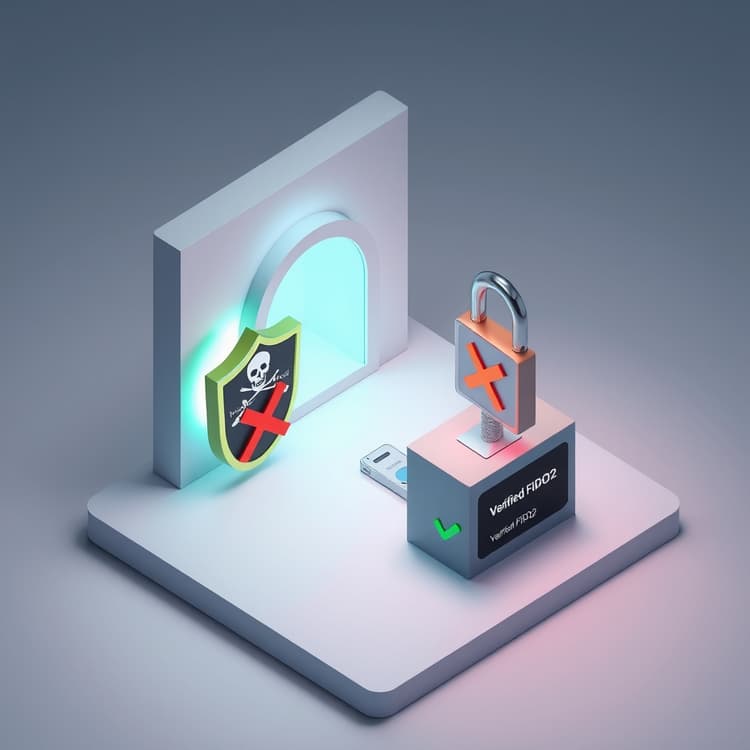
A modified VPN client can steal credentials, session cookies, or traffic while still completing a legitimate sign-in. FIDO2 passkeys improve authentication security, particularly against phishing and adversary-in-the-middle (AiTM) credential capture, but they do not cryptographically prove that the VPN client executable is clean. Treat authentication assurance, endpoint integrity, and network monitoring as separate controls.
Use the following six controls together:
- Require phishing-resistant FIDO2 authentication at the identity provider (IdP) or zero-trust access gateway.
- Use relying-party ID and origin binding where supported by the web or native authentication flow.
- Restrict authenticator types to supported hardware security keys when policy requires them.
- Validate attestation against trusted metadata when authenticator provenance matters.
- Enforce device-posture checks before access for managed endpoints.
- Investigate integrity and session signals independently rather than treating passkey success as proof of endpoint safety.
VPN Tampering Symptoms: Branching Diagnostic Paths
Do not infer client tampering from TLS timing changes, user-agent changes, or a reused TOTP alone. Those signals can result from software updates, proxies, clock drift, user error, or ordinary network variation. Start with evidence that is specific to the gateway, endpoint-management platform, endpoint detection and response (EDR) product, or IdP in use.
| Log / Error Message | What It Means | Next Check |
|---|---|---|
| Gateway-specific client certificate or device-compliance failure | The gateway rejected a presented certificate or posture assertion. Field names vary by product. | Confirm the gateway's documented event name and inspect the managed-device record. |
| EDR alert for an unsigned module or unexpected DLL loaded by the VPN process | Possible injection, sideloading, or a legitimate application update. | Isolate the endpoint if risk is high; review signer, file path, parent process, and EDR timeline. |
| IdP event showing FIDO2 authentication from an unfamiliar device or location | A valid credential was used; this does not identify the endpoint's integrity state. | Revoke sessions, review the authenticator and device identifiers, and investigate account activity. |
| TOTP rejected as reused or out of sync | Usually a clock, enrollment, retry, or replay-protection issue; it is not proof of AiTM. | Review IdP audit events and time synchronization before escalating to phishing investigation. |
The table uses illustrative mappings, not universal VPN or WebAuthn fields. For example, Handshake failed: Invalid client signature, resident_key_used: true, and uv_verified: true are not standard fields across VPN gateways or WebAuthn implementations. Map these concepts to documented audit fields from your specific IdP, access gateway, EDR, and device-management tools.
Symptom: Endpoint Security Reports a Modified VPN File
Verification command: On Windows, compare the executable hash and Authenticode signature to the approved release:
Get-FileHash "C:\Program Files\VPN\client.exe" -Algorithm SHA256
Get-AuthenticodeSignature "C:\Program Files\VPN\client.exe"
On Linux, compare the package-manager record or approved hash:
sha256sum /opt/vpn/clientOutput meaning: A hash or signature mismatch warrants containment and investigation. A matching hash only establishes that the checked file matches the approved baseline; it does not prove that credentials were not stolen, that a malicious process is absent, or that the host is safe.
Next fix: Remove the endpoint from sensitive access, preserve EDR and gateway evidence, reinstall from a trusted source or reimage according to incident-response policy, rotate exposed secrets, and revoke active sessions. Do not use a passkey rollout as a substitute for endpoint remediation.
Symptom: Unusual Login Activity After a Successful VPN Sign-In
Verification command: Query the IdP and gateway for the user, session, device identifier, authenticator identifier, source network, and application-access events within the incident window.
Output meaning: Concurrent sessions, unfamiliar registered authenticators, or unexpected access to internal applications justify session revocation and account investigation. A new source IP alone may reflect travel, mobile networks, or corporate egress changes.
Next fix: Revoke sessions and refresh tokens, reset recovery factors, review authenticator enrollment, and require a managed-device posture check before re-enabling access. Preserve evidence before deleting suspicious registrations.
FIDO2 Relying-Party Binding for VPN Access Gateways
WebAuthn signatures are bound to a relying-party ID and the calling origin in supported browser-based or native WebAuthn implementations. This helps prevent a credential registered for vpn.example.com from being used by a phishing site on another domain.
A traditional VPN client does not automatically gain WebAuthn origin binding merely because it advertises FIDO2 support. Confirm whether the client redirects users to an IdP-hosted browser flow, uses a supported native WebAuthn implementation, or relies on another protocol such as certificate-based authentication. For legacy VPNs, placing access behind a Cloudflare Access vs Twingate: 2027 ZTNA Security Guide can centralize phishing-resistant authentication before a tunnel is issued.
WebAuthn Authenticator Policy and Attestation Validation
The following is one complete, valid JSON registration-options example. Replace the marked values server-side for each registration ceremony; generate the challenge unpredictably and validate it on return.
{
  "publicKey": {
    "challenge": "REPLACE_WITH_SERVER_GENERATED_BASE64URL_CHALLENGE",
    "timeout": 60000,
    "rp": {
      "name": "Example Corporate Remote Access",
      "id": "vpn.example.com"
    },
    "user": {
      "id": "REPLACE_WITH_STABLE_BASE64URL_USER_ID",
      "name": "admin@example.com",
      "displayName": "Admin User"
    },
    "pubKeyCredParams": [
      {
        "type": "public-key",
        "alg": -7
      },
      {
        "type": "public-key",
        "alg": -257
      }
    ],
    "authenticatorSelection": {
      "authenticatorAttachment": "cross-platform",
      "residentKey": "required",
      "userVerification": "required"
    },
    "attestation": "direct"
  }
}
attestation: "direct" is an attestation-conveyance preference, not proof that a credential came from a physical security key or that synced, platform, or emulated credentials are excluded. Enforce hardware-key policy only when the deployment validates returned attestation, checks authenticator metadata and certificate trust, permits only supported authenticator models, and accounts for browser, privacy, and enterprise-attestation behavior. If these prerequisites are unavailable, use user verification and managed-device policy without making unsupported provenance claims.
Device Posture Checks Before VPN or ZTNA Access
Device posture addresses a different problem from passkeys: whether the requesting endpoint meets your organization’s operational requirements. Before issuing access, require supported signals such as device enrollment, disk encryption, supported operating-system version, active EDR, firewall state, and certificate presence. Define a remediation route for devices that fail posture instead of bypassing the policy permanently.
For older VPN deployments, a ZTNA gateway can limit users to approved applications rather than exposing an entire internal network. Review tunnel reliability and access-policy behavior when operating that architecture; Cloudflare Tunnel vs Ngrok: 502 Fix and Security Guide covers related gateway troubleshooting.
FIDO2 and VPN Access Verification Checklist
After deployment, verify documented IdP events rather than searching for assumed field names. Confirm that successful authentication used a WebAuthn or FIDO2 method, that user verification was required by policy, that the relying-party ID matches the intended service, and that the gateway received a passing posture decision. If attestation is required, confirm that the attestation validator accepted only the approved authenticator metadata and models.
These controls reduce credential-phishing risk and improve access decisions. They do not neutralize an existing VPN backdoor by themselves: suspected binary modification still requires endpoint containment, forensic review, trusted rebuilds, credential and session rotation, and monitoring for persistence.
Frequently Asked Questions
Can I use FIDO2 passkeys with my existing legacy VPN?
Most legacy VPNs do not support FIDO2 natively. The best practice is to place a Zero Trust gateway (like Cloudflare Access or Twingate) in front of the VPN. The user authenticates to the gateway using their hardware passkey, and the gateway then grants access to the VPN endpoint.
What happens if an employee loses their FIDO2 hardware key?
You should always require users to register at least two hardware keys. If one is lost, the backup key allows access. From an admin perspective, you must immediately revoke the unique public key credential ID associated with the lost device in your identity provider settings.
Does FIDO2 protect against a compromised laptop?
FIDO2 protects against credential theft and AiTM attacks, but if the laptop's OS is fully compromised (e.g., a keylogger or remote access trojan), an attacker might still hijack the session *after* the user authenticates. This is why FIDO2 must be paired with continuous device posture checks.
Get the Weekly SMB AI & SaaS Brief
Practical software benchmarks, prompt templates, and ROI breakdowns delivered every Tuesday. No fluff, unsubscribe anytime.