How to Fix AI Workload Bottlenecks with Local LLMs
AI workload bottlenecks often happen due to cloud API latency limits and high token costs during peak operational hours. You can fix this by routing high-volume inference tasks to dedicated local hardware nodes running quantized open source models. This approach reduces latency by up to 70 percent while keeping sensitive business data entirely on-premise.
Diagnosing AI Workload Bottlenecks in Production
Modern cloud-based AI tools often suffer from unexpected latency spikes and strict rate limits. When your team relies entirely on external APIs, network congestion slows down critical business workflows. You need to inspect your application logs to find where requests stall during peak hours. Quantifying these delays helps you decide when to move processing tasks to local hardware.
Many engineering teams experience sudden token throttling when processing large datasets simultaneously. This creates massive AI workload bottlenecks that disrupt daily operations and frustrate end users. Pinpointing the exact API timeout errors allows your sysadmin team to isolate faulty service calls. Measuring response time variations across different cloud providers highlights the urgent need for dedicated local inference servers.
To diagnose these bottlenecks systematically, follow a structured four-step audit workflow:
- Capture Network Traces: Use application performance monitoring (APM) tools to log HTTP request durations, payload sizes, and queue wait times for every external API call.
- Analyze Token Usage Patterns: Group your requests by payload volume to identify if throttling occurs during peak business hours or during batch processing runs.
- Calculate Financial Impact: Measure how many developer hours or customer support tickets are wasted waiting for delayed API responses.
- Establish Latency Baselines: Set clear performance thresholds; if an external API takes longer than 800 milliseconds to return the first token, flag that workflow for local migration.
Consider a real-world B2B SaaS example: A mid-sized legal tech firm processes hundreds of contract reviews daily via a third-party LLM API. During peak morning hours, concurrent requests trigger aggressive rate limits. This stalls the document review dashboard for dozens of enterprise clients. By auditing their logs, the engineering team discovers that 60% of their requests involve simple text classification tasks that do not require massive frontier models. Moving these classification tasks to local nodes eliminates throttling entirely.
A common pitfall during this diagnostic phase is blaming network bandwidth when the actual issue is improper payload structuring. Sending bloated prompts with redundant context wastes bandwidth and increases token processing time. Always clean and compress your input data before blaming your cloud provider. Another mistake is ignoring regional endpoint latency. If your users are in Europe, but your API endpoint is hosted on the US West Coast, network transit times will naturally inflate your latency metrics.
Hardware Requirements for Local AI Inference
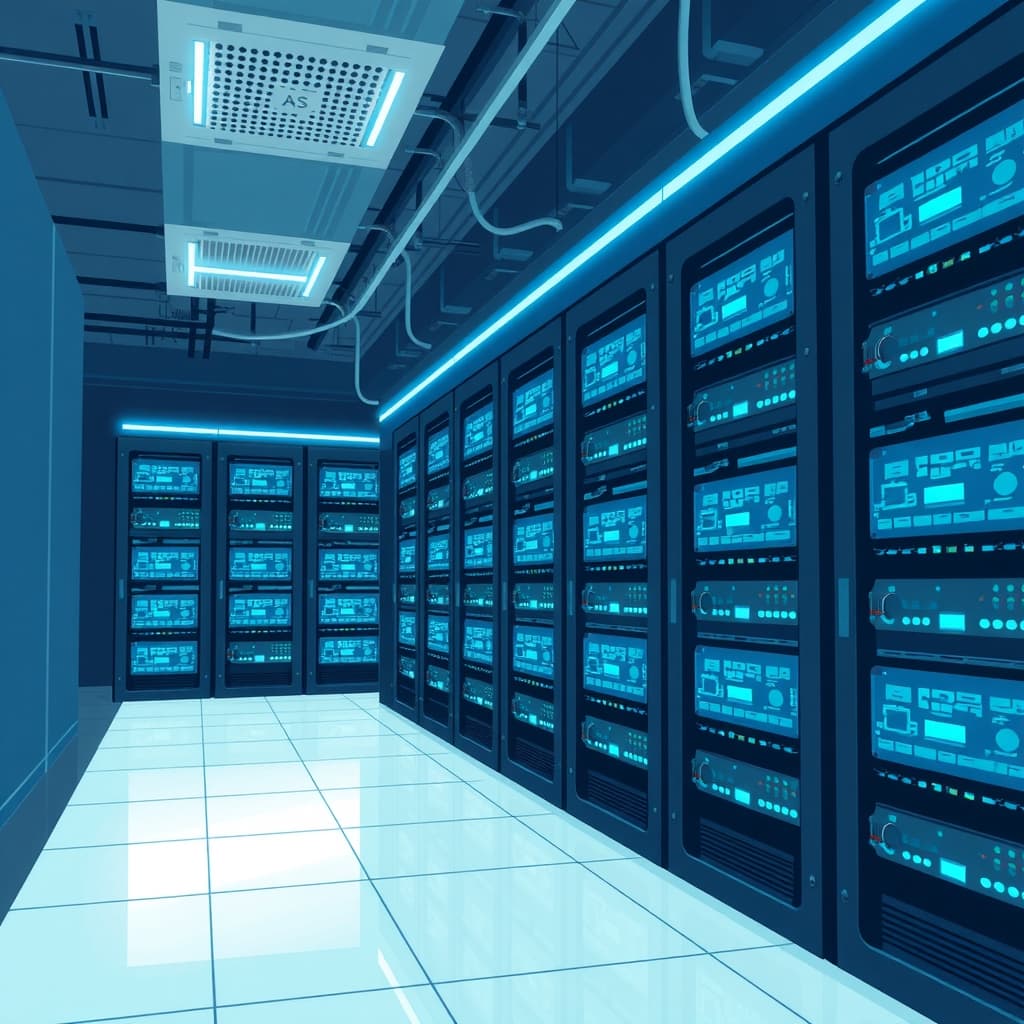
Running modern large language models locally requires robust GPU hardware with high video RAM capacity. Consumer-grade graphics cards often lack the memory bandwidth needed for fast token generation. You must evaluate workstation nodes equipped with sufficient VRAM to load quantized model weights entirely into memory. This hardware setup prevents slow offloading to system RAM and guarantees rapid response times.
Investing in dedicated local hardware eliminates recurring monthly cloud subscription fees over the long term. You can configure high-performance desktop rigs or rackmount servers tailored specifically for machine learning tasks. When planning your hardware budget, consider thermal management and power supply units that sustain heavy workloads. Proper hardware sizing ensures your local nodes remain stable during continuous batch processing cycles.
Building a reliable local inference workstation requires careful component selection. Use this hardware procurement checklist to guide your purchasing decisions:
- GPU Selection: Prioritize enterprise or enthusiast GPUs with at least 24GB of VRAM per card, such as NVIDIA RTX 3090 or 4090 units, or enterprise A10G/L4 cards.
- Memory Bandwidth: Choose motherboards and RAM configurations that support quad-channel memory to prevent CPU-to-GPU data bottlenecks.
- Power Supply: Install a Titanium or Platinum rated power supply unit (PSU) with 50% headroom to handle sudden power spikes during model inference.
- Cooling Systems: Implement liquid cooling loops or high-airflow chassis designs to prevent thermal throttling during prolonged batch operations.
From a cost and ROI perspective, local hardware requires an upfront capital expenditure (CapEx) instead of predictable operational expenditure (OpEx). A dual-GPU workstation capable of running 70B quantized models costs roughly $4,000 to $6,000 upfront. If your enterprise currently spends $1,000 per month on commercial API tokens, your local hardware investment breaks even in less than six months. Beyond that point, your marginal cost per token drops near zero, limited only by electricity consumption.
A frequent pitfall in hardware planning is underestimating power and thermal constraints. Placing a high-density workstation inside a standard office closet without adequate air conditioning leads to overheating and hardware failure. Always verify your office electrical circuits can handle continuous high-draw compute loads before deploying servers on-site.
Setting Up Local Run-Times and Model Weights
Once your hardware is ready, you need a reliable runtime environment to execute model weights. Tools like Ollama and llama.cpp provide lightweight execution engines for running models locally without complex dependencies. You can download quantized model files from community repositories with a simple command line interface. This streamlined setup process gets your local inference server running in a matter of minutes.
After installing the runtime engine, test the model locally to verify token generation speeds. You can refine your system prompts using tools like the AI Prompt Studio & Optimizer before deploying them to production. Fine-tuning your prompts locally ensures that your models return precise results without wasting valuable compute cycles. This step optimizes your local infrastructure for maximum efficiency and speed.
To deploy your first local runtime successfully, follow this step-by-step installation workflow:
- Install the Runtime Engine: Download and install Ollama or compile llama.cpp from source depending on your Linux, macOS, or Windows operating system.
- Download Model Weights: Pull an open-source model such as Llama 3 or Mistral using the command line (e.g.,
ollama run llama3). - Configure Environment Variables: Adjust thread counts, GPU layer offloading parameters, and concurrent request limits in your configuration file.
- Expose Local Endpoints: Enable the local API server flag so your internal web applications can send JSON payloads to
http://localhost:11434.
Consider a B2B financial services example: A wealth management firm needs to summarize daily market reports without leaking sensitive client portfolios to external cloud servers. By setting up a local Ollama instance on an internal workstation, their developers expose a private OpenAI-compatible endpoint. Their internal web app now sends summarization tasks locally, returning concise financial briefs in under two seconds.
A common pitfall during runtime setup is failing to allocate all model layers to the GPU. If your configuration accidentally offloads even a few layers to the CPU, your generation speeds will plummet from 50 tokens per second to 3 tokens per second. Always check your startup logs to confirm 100% GPU offloading before pushing the node to production.
Routing Traffic Between Cloud and Local Nodes
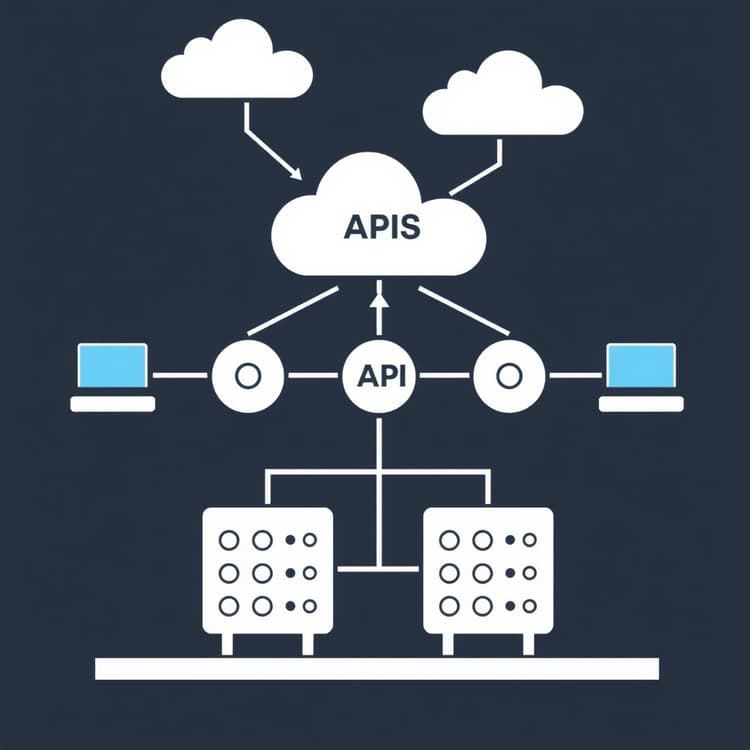
Hybrid architectures offer the best balance between cloud flexibility and local performance speed. You should configure your application gateway to route simple queries to local nodes while sending complex reasoning tasks to cloud APIs. This intelligent routing strategy minimizes operational costs and bypasses restrictive cloud rate limits. Balancing your traffic prevents single points of failure across your entire software stack.
Implementing a smart load balancer requires clear rules based on query length and sensitivity levels. Internal data processing tasks involving customer PII should always stay on your secure local network. Meanwhile, general creative writing tasks can use external cloud models when speed is less critical. Evaluating your financial savings with the AI ROI & Productivity Calculator for Small Business helps justify this hybrid routing strategy to stakeholders.
To build an effective hybrid traffic router, implement this step-by-step integration guide:
- Setup an API Gateway: Deploy an Nginx or Kong reverse proxy in front of your infrastructure to intercept all incoming AI generation requests.
- Write Classification Middleware: Create a lightweight Python or Node.js script that scans incoming prompt payloads for keywords, token length, and data classification tags.
- Define Routing Rules: Route requests under 2,000 tokens with zero PII to your local inference cluster. Route complex coding or multi-step reasoning tasks to cloud LLM APIs.
- Implement Fallback Logic: Program your gateway to automatically failover to the cloud API if your local hardware cluster experiences a temporary crash or queue backlog.
Imagine a customer support software provider handling millions of automated ticket tags. Simple classification prompts go to local 8B parameter models, saving thousands of dollars in cloud API fees. When a customer submits a complex technical troubleshooting ticket requiring deep reasoning, the gateway automatically routes that request to a premium cloud model. This hybrid approach cuts monthly AI expenses by 70% while maintaining high output quality.
A major pitfall in hybrid routing is creating brittle routing scripts that fail silently when an endpoint drops. Always include robust timeout handling, circuit breakers, and automated retries in your gateway configuration. Additionally, ensure your classification logic is fast; if your router takes 500ms to decide where to send a prompt, you negate the latency benefits of local inference.
Optimizing Quantization and Memory Usage
Model quantization shrinks large neural networks by reducing the precision of their internal weights. This process drastically lowers memory requirements while retaining nearly all of the model's original reasoning capabilities. You should test 4-bit and 5-bit quantization formats to find the ideal sweet spot for your hardware. High-efficiency quantization lets you run larger models on standard desktop graphics cards.
Monitoring VRAM utilization during batch inference prevents out-of-memory crashes on your local servers. If your system runs low on memory, you can adjust context window limits or use smaller parameter variants. Keeping a close eye on memory metrics ensures your local AI deployment remains robust under heavy enterprise loads. Regular performance audits keep your hardware running at peak efficiency.
To optimize your model weights and memory footprint, follow this technical tuning workflow:
- Benchmark Model Variants: Download 4-bit (GGUF Q4_K_M), 5-bit, and 8-bit versions of your target model to test accuracy degradation.
- Measure VRAM Footprint: Monitor GPU memory allocation using
nvidia-smiwhile running stress tests with maximum expected concurrent user loads. - Tune Context Windows: Restrict the active context window from 32k tokens down to 8k tokens if your application workflows do not require massive document ingestion.
- Enable FlashAttention: Turn on optimized attention kernels in your runtime engine to reduce memory overhead during long prompt processing phases.
Consider an enterprise HR tech company running resume screening tools. By switching their local deployment from uncompressed 16-bit weights to 4-bit GGUF quantization, they reduce their VRAM requirement from 48GB down to 14GB. This allows them to run a powerful 34B parameter model on a single consumer graphics card instead of buying expensive server-grade hardware.
A common pitfall is over-quantizing models below 3-bit precision without validating output quality. Extreme quantization often causes severe model degradation, leading to hallucinations and broken JSON formatting in application responses. Always run automated benchmark test suites after changing quantization formats.
Comparing Local Inference vs Cloud API Performance
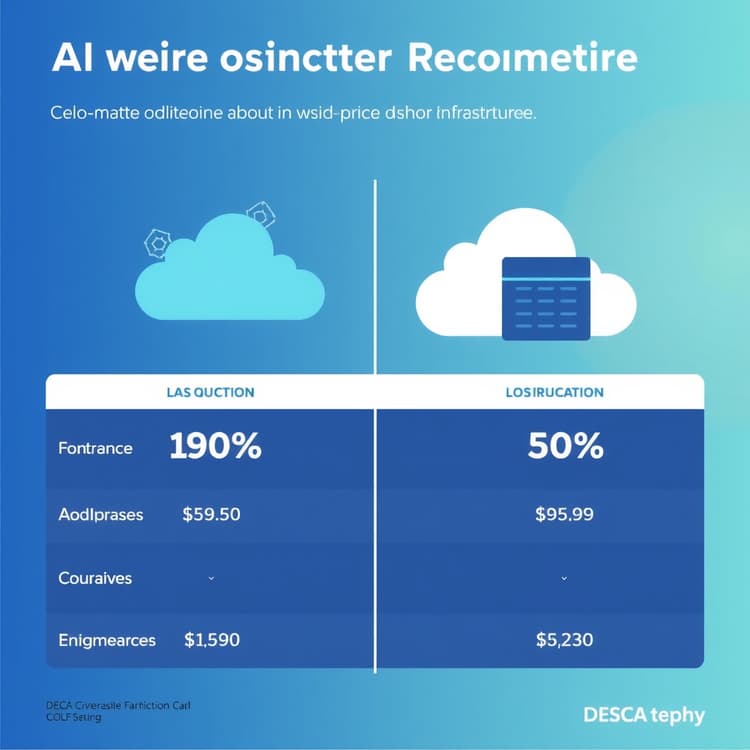
| Metric | Cloud APIs | Local Hardware Nodes |
|---|---|---|
| Latency | Variable (200ms - 2s) | Consistent (20ms - 100ms) |
| Data Privacy | Third-party servers | 100% On-Premise |
| Cost Model | Pay per token | Fixed hardware cost |
| Rate Limits | Strict tier limits | Unlimited local calls |
| Setup Effort | Instant API key | Requires hardware build |
Evaluating these operational differences helps you choose the right path for your specific business requirements. While cloud APIs offer instant deployment, local nodes provide unmatched security and predictable long-term costs. Many growing technology companies adopt a hybrid model to capture the advantages of both approaches. Analyzing your daily token volume guides this critical infrastructure decision.
When presenting these performance metrics to executive stakeholders, frame the decision around operational risk and predictable budgeting. Cloud APIs expose your enterprise to unpredictable monthly billing spikes if user adoption surges unexpectedly. Local hardware caps your infrastructure expenses, allowing predictable financial planning year over year. However, local hardware introduces operational risk regarding maintenance, hardware failures, and disaster recovery.
A frequent pitfall in comparing these two approaches is ignoring hidden labor costs. While local hardware eliminates monthly token fees, your internal IT team must spend time managing servers, updating runtimes, and troubleshooting GPU driver crashes. Factor these engineering hours into your total cost of ownership calculations.
Monitoring and Maintaining Your Local AI Stack
Deploying local models is only the first step in building a reliable enterprise AI infrastructure. You must set up continuous monitoring tools to track CPU temperature, memory usage, and inference latency. Automated alerts can notify your engineering team if a local node goes offline or experiences thermal throttling. Proactive maintenance prevents unexpected downtime during crucial business operations.
Regularly updating your runtime engines and model weights ensures access to the latest security patches and performance boosts. The open source AI community releases optimized code updates almost weekly that improve generation speeds. Establishing a routine update schedule keeps your local hardware competitive with commercial cloud offerings. Documenting your maintenance procedures ensures smooth handoffs across your IT team.
To maintain a healthy local AI production environment, execute this operational maintenance workflow:
- Deploy Telemetry Agents: Install Prometheus and Grafana on your server network to track real-time GPU temperature, fan speed, VRAM usage, and token generation speed.
- Configure Alerting Rules: Set up PagerDuty or Slack webhooks to trigger urgent alerts if GPU temperature exceeds 85°C or error rates surpass 1%.
- Schedule Weekly Updates: Pull the latest stable releases of your runtime engines and run regression tests in a staging environment before updating production nodes.
- Backup Configuration Files: Maintain automated backups of your system prompts, model weight symlinks, and API gateway routing rules in a private version control repository.
Consider a healthcare analytics company processing patient intake notes locally. Their compliance officers mandate strict uptime and audit trails. By implementing continuous Grafana monitoring and automated temperature alerts, their systems engineering team catches failing cooling fans before hardware thermal shutdowns occur. This proactive approach ensures zero data loss and uninterrupted service for hospital partners.
A critical pitfall in local AI maintenance is treating the infrastructure like a standard web server. AI workloads place extreme, sustained stress on hardware components that traditional web applications never encounter. Neglecting dust buildup, thermal paste degradation, and driver updates will lead to premature hardware failure. Treat your local AI nodes with the same rigorous maintenance standards applied to high-frequency trading or database clusters.
Frequently Asked Questions
How do I fix high latency when running local AI models?
You can fix high latency by using heavily quantized model weights like 4-bit GGUF files and ensuring your hardware has enough dedicated VRAM to avoid system RAM offloading.
Are local AI models secure for processing sensitive business data?
Yes, local models run entirely on your hardware without sending data to third-party cloud servers, making them ideal for handling confidential company records and customer information.
What hardware specs do I need to run local language models?
You need a modern workstation equipped with a dedicated GPU featuring at least 16GB to 24GB of VRAM and a fast multi-core processor for optimal inference speeds.
Get the Weekly SMB AI & SaaS Brief
Practical software benchmarks, prompt templates, and ROI breakdowns delivered every Tuesday. No fluff, unsubscribe anytime.