Microsoft Copilot vs ChatGPT: 2026 Enterprise Feature Comparison
Microsoft Copilot integrates deeply into enterprise Microsoft 365 apps with strong data privacy, while ChatGPT offers broader creative flexibility and advanced developer tools. Choosing between them depends on your team's existing software stack and daily workflow needs. Before committing your budget, evaluate your workflow demands alongside tools like our [AI ROI & Productivity Calculator for Small Business](/tools/roi-calculator).

Microsoft Copilot vs ChatGPT: Core Architecture and Intent
Choosing the right business assistant shapes daily team productivity. Microsoft Copilot connects directly to your company's Word, Excel, and Teams data. ChatGPT acts as a standalone powerhouse for creative writing, coding, and general research tasks. For advanced custom logic, many developers also reference benchmarks like OpenAI o3 vs Claude 3.5 Sonnet: Developer Benchmarks to pick the best models.
Evaluating Microsoft Copilot vs ChatGPT requires looking at how your staff works. If your team lives inside Outlook and Excel, Copilot saves hours of switching between windows. If your team builds custom software or needs rapid brainstorming, ChatGPT provides faster, more adaptable text generation. Let's look closely at how these platforms handle daily tasks.
Modern businesses need tools that reduce friction. Copilot lives inside the software your staff already uses every day. It reads active documents, drafts replies in email clients, and joins virtual meetings to take notes. This tight coupling reduces the learning curve for non-technical employees. They do not need to learn a new web portal or master complex prompt engineering techniques.
ChatGPT takes a different architectural approach. It functions as a general-purpose reasoning engine accessible via web browsers, mobile apps, and robust APIs. It excels at open-ended problem solving, language translation, and software development. For advanced automation workflows, technical teams often prefer ChatGPT because it offers granular control over system instructions and temperature settings.
Step-by-Step Workflow: Deploying Copilot for Document Synthesis
- Audit Existing Repositories: Ensure your SharePoint and OneDrive permissions are clean and up to date.
- Assign Licenses: Purchase and assign Copilot licenses to pilot users within the Microsoft 365 admin center.
- Launch Pilot Group: Select a department like HR or Marketing to test document summarization and email drafting.
- Measure Output: Track how many hours employees save each week when generating internal reports and briefs.
Real-World B2B Example: Financial Services
A mid-sized accounting firm tested both tools during tax season. Accountants using Copilot pulled data directly from Excel spreadsheets into Word summaries without leaving the Microsoft ecosystem. Meanwhile, data scientists at the same firm used ChatGPT to write Python scripts for anomaly detection in client ledgers. Matching the tool to the specific job function maximized daily output across departments.
Pricing Tiers and Licensing Costs in 2026
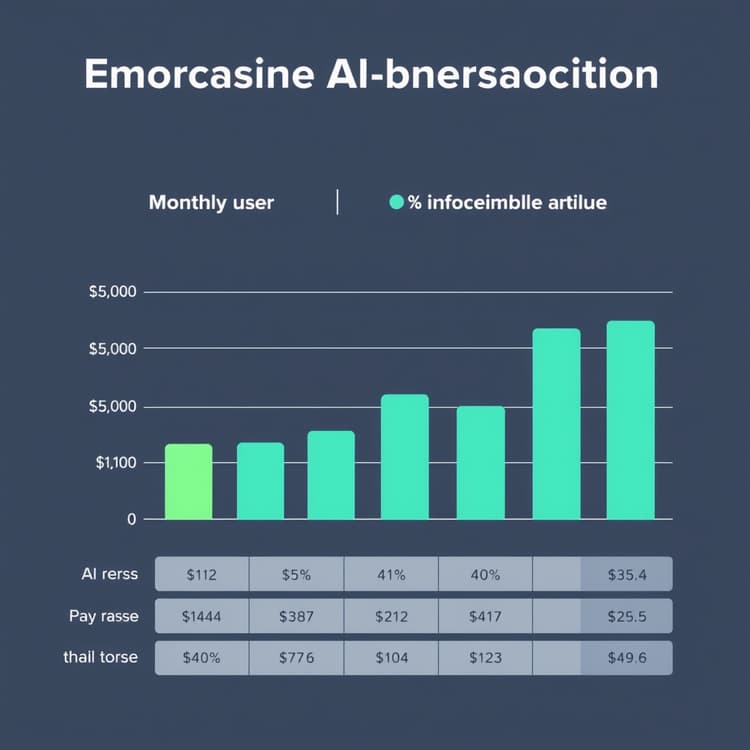
Cost remains a major factor when rolling out generative AI across a growing company. Microsoft Copilot for Microsoft 365 typically costs $30 per user per month, requiring an underlying business subscription. ChatGPT Team costs $25 per user per month when billed annually, or $30 monthly. For heavy enterprise scaling, ChatGPT Enterprise requires custom sales quotes based on seat volume.
Hidden costs can sneak up on your IT budget if you do not plan ahead. Copilot requires every user to have a Microsoft 365 Business Standard or Premium license. ChatGPT operates independently of your office suite, making adoption easier for teams on Google Workspace. To optimize your prompt strategy across either platform, test your inputs with our AI Prompt Studio & Optimizer.
Budgeting for enterprise AI requires looking beyond the base monthly sticker price. Implementation costs include user training, security audits, and administrative overhead. IT teams must spend time managing user permissions, monitoring token usage, and reviewing security logs to prevent accidental data leaks.
Cost Optimization Tips
- Bundle Licenses: Group Copilot purchases with your annual Microsoft contract renewal to negotiate volume discounts.
- Audit Active Seats: Review user engagement monthly. Reassign inactive ChatGPT or Copilot seats to new hires immediately.
- Tiered Rollouts: Deploy AI tools to power users first before buying enterprise-wide licenses for every single employee.
Common Pitfalls to Avoid
- Over-Licensing: Buying Copilot for staff who rarely use Word or Excel wastes thousands of operational dollars.
- Ignoring Prerequisites: Forgetting that Copilot requires specific baseline Microsoft 365 licenses leads to unexpected upgrade fees.
- Lack of Usage Tracking: Failing to monitor return on investment leaves executives blind to whether the software actually saves time.
Feature Limits, Data Privacy, and Security Controls
Security teams demand strict data privacy guarantees before approving any AI software. Microsoft Copilot inherits your organization's existing Microsoft Entra ID permissions and compliance policies. Your business data never trains public models, satisfying strict regulatory standards for finance and healthcare sectors.
ChatGPT Enterprise also offers zero data retention and SOC 2 Type II compliance. However, it lacks native integration with internal Microsoft SharePoint repositories out of the box. Teams must use custom API connectors to sync ChatGPT with internal file servers, adding maintenance overhead for cloud engineers.
Data governance is the top priority for Chief Information Security Officers in 2026. Both platforms provide robust encryption standards both in transit and at rest. However, the difference lies in where your data lives and how the AI model accesses it.
Security Comparison Checklist
- Data Residency: Ensure your cloud provider stores information within your geographic region.
- Model Training Exemption: Verify that enterprise tier chats are never used to train future public foundation models.
- Role-Based Access Control: Confirm the AI respects existing folder permissions and restricted security groups.
Pitfalls in Data Governance
- Shadow AI Usage: Employees using free consumer AI accounts often paste proprietary source code or customer lists into public chats.
- Permissive Sharing: If a SharePoint folder is open to everyone in the company, Copilot will read and summarize that sensitive data for anyone who asks.
- Inadequate Logging: Failing to enable enterprise audit logs leaves your compliance team unable to investigate potential data breaches.
Side-by-Side Comparison Table
| Feature / Metric | Microsoft Copilot | ChatGPT (Team / Enterprise) |
|---|---|---|
| Base Monthly Cost | $30 / user (M365 required) | $25 - $30 / user |
| Office Integration | Native (Word, Excel, Teams) | Via plugins and file uploads |
| Data Privacy | Enterprise-grade M365 boundary | Zero retention (Enterprise tier) |
| Custom GPTs / Agents | Copilot Studio integration | Custom GPT builder |
| Primary Use Case | Workplace productivity & docs | Creative tasks & coding |
| Implementation Speed | Fast for M365 shops | Fast via browser or API |
| Coding & Logic | Moderate capability | Advanced capability |
This table highlights the core architectural differences between the two leading enterprise AI assistants. IT leaders should review these metrics against their existing software stack and employee workflows before making a final purchasing decision.
Pros and Cons for Enterprise Deployment
Microsoft Copilot brings clear advantages for companies already standardized on Windows and Office apps. Users can summarize long email threads inside Outlook with one click. The primary drawback is rigidity; Copilot is less effective for open-ended coding or complex logic tasks outside the Microsoft ecosystem.
ChatGPT excels at writing Python scripts, debugging code, and drafting marketing copy from scratch. Its flexible interface adapts quickly to changing prompt styles. The downside is context switching. Staff must copy data out of enterprise spreadsheets and paste it into the ChatGPT web portal.
Deep Dive: Copilot Advantages and Disadvantages
- Pro: Seamless integration with Microsoft Teams meetings allows for instant automated transcripts and action items.
- Pro: Reduces the need for employees to learn complex prompt engineering because it uses natural office context.
- Con: Rigid architecture makes it difficult to customize deep background reasoning loops for specialized engineering tasks.
- Con: High dependency on the stability and uptime of Microsoft cloud infrastructure.
Deep Dive: ChatGPT Advantages and Disadvantages
- Pro: Superior reasoning capabilities for complex software development, math, and data analysis tasks.
- Pro: Highly customizable through custom GPTs and flexible API integrations for unique business apps.
- Con: Requires manual file uploads and data exporting when working with internal corporate documents.
- Con: Lacks native hooks into office productivity suites unless developers build custom middleware.
Recommendations by Business Use Case
Select Microsoft Copilot if your organization relies heavily on Microsoft Teams, SharePoint, and Excel daily. It keeps your data locked inside your existing compliance perimeter while automating routine administrative work. For deeper workflow automation needs, you can also explore building custom pipelines as shown in Anthropic Claude updates: Building Custom AI Workflows.
Choose ChatGPT if your team builds software, writes heavy marketing content, or uses Google Workspace instead of Microsoft. Its raw reasoning power and flexible custom agents make it superior for creative and technical problem-solving. Match your choice to your team's daily habits to maximize software ROI.
Final Decision Framework for IT Leaders
- Map Your Tech Stack: If your company runs entirely on Microsoft 365, buy Copilot to minimize friction.
- Assess Technical Needs: If your staff consists of developers, data analysts, and copywriters, provide ChatGPT for advanced problem solving.
- Calculate Total Cost: Factor in license prerequisites, training hours, and IT maintenance before signing annual contracts.
- Run a Controlled Pilot: Test both tools with a small cross-functional team for thirty days to measure real-world productivity gains.
Frequently Asked Questions
Does Microsoft Copilot require an existing Microsoft 365 subscription?
Yes. Microsoft Copilot for Microsoft 365 requires an active Business Standard, Business Premium, E3, or E5 license per user.
Can ChatGPT train its public models on my company data?
No. ChatGPT Team and Enterprise tiers guarantee that your business prompts and uploaded files are never used to train OpenAI's public models.
Which tool is better for software development tasks?
ChatGPT is generally preferred by developers for coding, debugging, and script generation due to its advanced reasoning models and flexible API access.
Get the Weekly SMB AI & SaaS Brief
Practical software benchmarks, prompt templates, and ROI breakdowns delivered every Tuesday. No fluff, unsubscribe anytime.